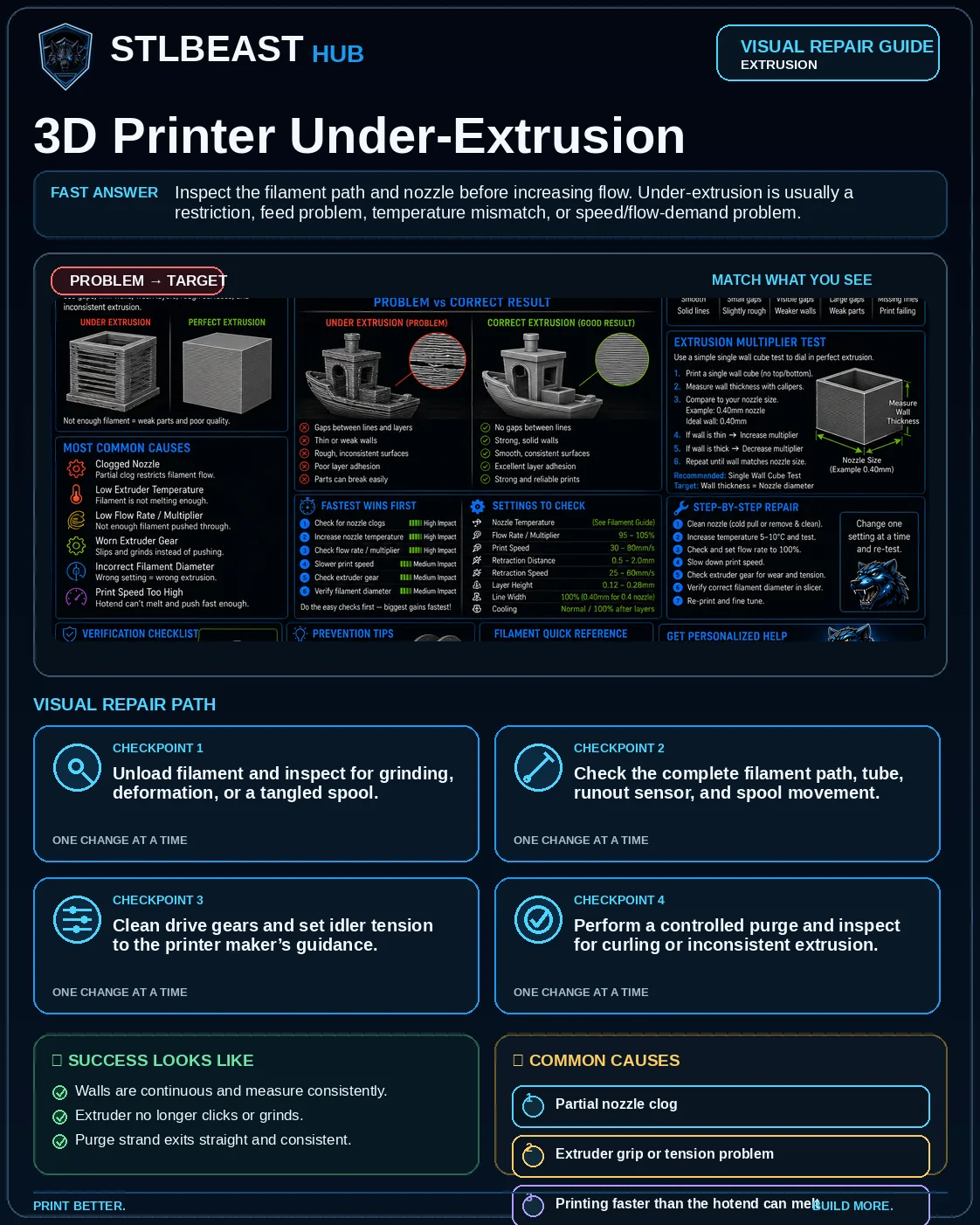
Start hereInspect the filament path and nozzle before increasing flow. Under-extrusion is usually a restriction, feed problem, temperature mismatch, or speed/flow-demand problem.
First safe actionInspect spool drag, gears and the filament path before replacing parts.
Proof targetA 100 mm extrusion and thin wall remain continuous and even.
Match the failed area to the visual before changing a setting.
Repair progress0 of 7 complete
Step 1 of 7
Unload filament and inspect for grinding, deformation, or a tangled spool.
Keep the problem and target visual open while you make this change.
Why this matters
Restricted flow produces thin or intermittent lines.
Setting or checkMaximum volumetric speed
Reduce when the hotend cannot maintain flow.
Expected result
Walls are continuous and measure consistently.
Step 2 of 7
Check the complete filament path, tube, runout sensor, and spool movement.
Keep the problem and target visual open while you make this change.
Why this matters
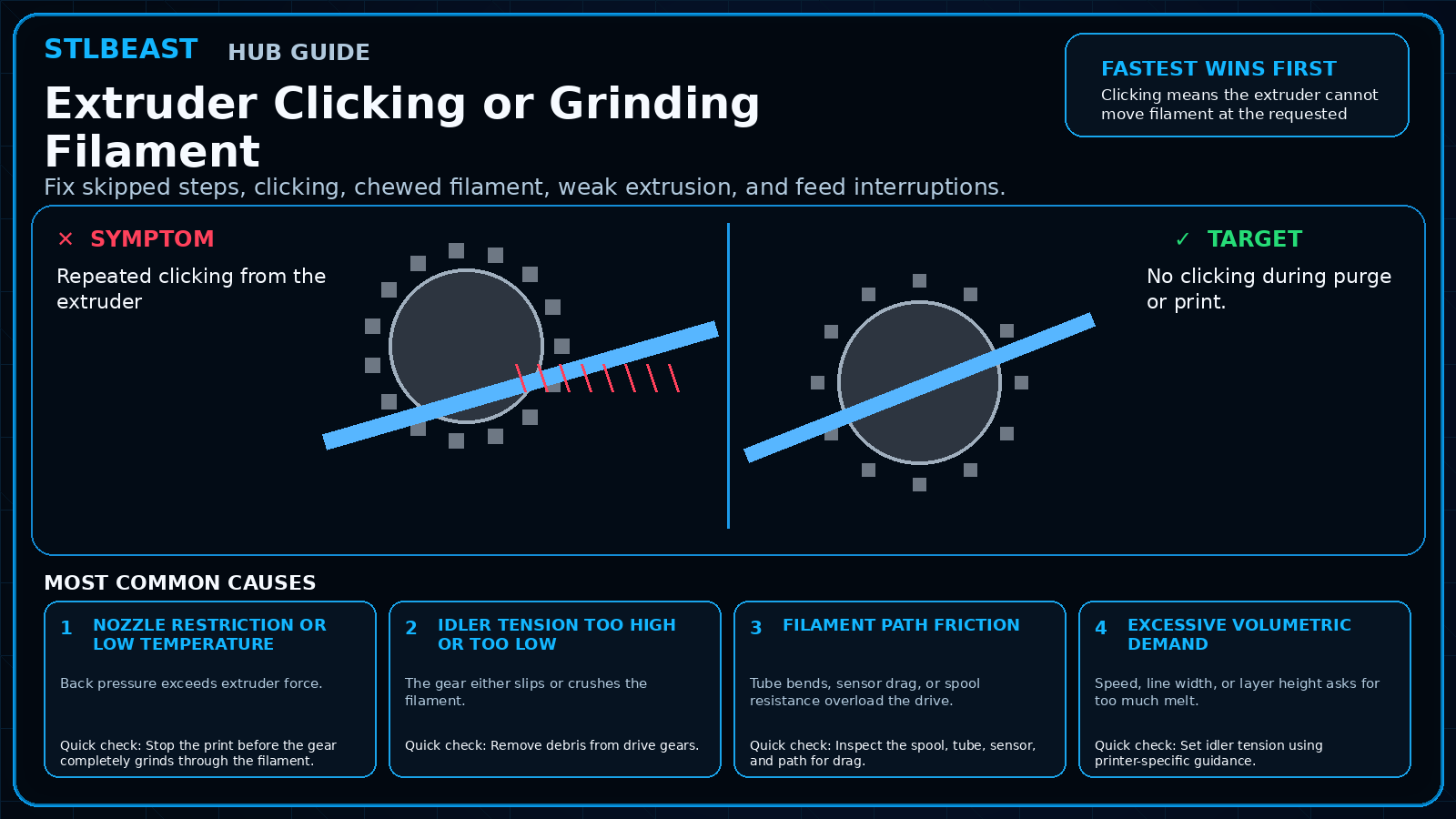
The drive gear slips, clicks, or grinds the filament.
Setting or checkNozzle temperature
Raise only within the filament range and in small increments.
Expected result
Extruder no longer clicks or grinds.
Step 3 of 7
Clean drive gears and set idler tension to the printer maker’s guidance.
Keep the problem and target visual open while you make this change.
Why this matters
Volumetric demand exceeds hotend capacity.
Setting or checkFlow/extrusion multiplier
Do not use a large increase to hide a clog or slipping extruder.
Expected result
Purge strand exits straight and consistent.
Step 4 of 7
Perform a controlled purge and inspect for curling or inconsistent extrusion.
Keep the problem and target visual open while you make this change.
Why this matters
Material does not flow consistently.
Setting or checkLine width/layer height
Keep compatible with nozzle size and hotend capacity.
Expected result
Long print maintains flow at the same height.
Step 5 of 7
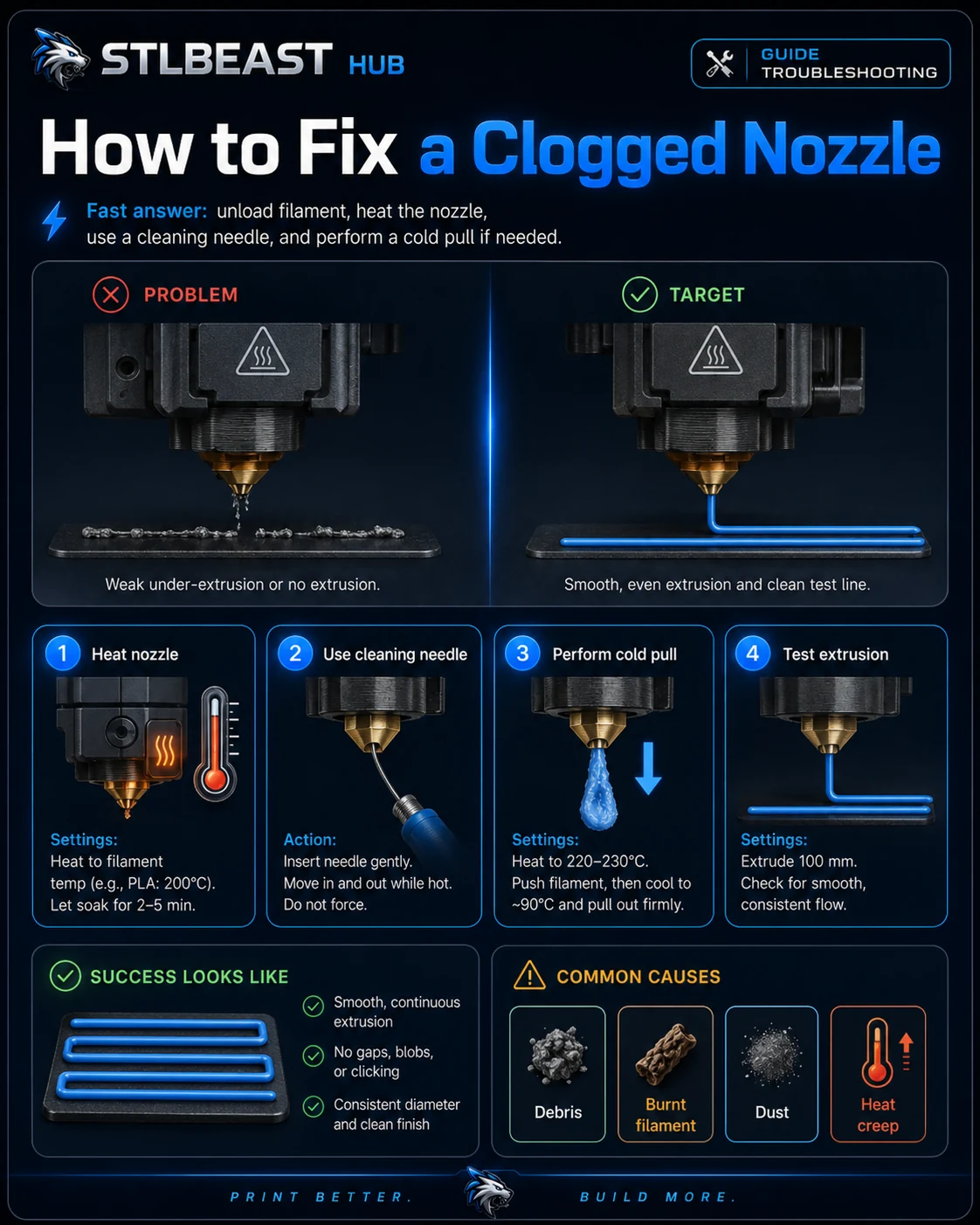
Clear a partial clog or replace the nozzle if needed.
Keep the problem and target visual open while you make this change.
Why this matters
Tangled spool, tight tube, or poor spool holder increases resistance.
Setting or checkMaximum volumetric speed
Reduce when the hotend cannot maintain flow.
Expected result
Walls are continuous and measure consistently.
Step 6 of 7
Return flow to profile default, then reduce speed/volumetric demand.
Keep the problem and target visual open while you make this change.
Why this matters
Restricted flow produces thin or intermittent lines.
Setting or checkNozzle temperature
Raise only within the filament range and in small increments.
Expected result
Extruder no longer clicks or grinds.
Step 7 of 7
Re-test temperature and flow only after the mechanical path is clear.
Keep the problem and target visual open while you make this change.
Why this matters
The drive gear slips, clicks, or grinds the filament.
Setting or checkFlow/extrusion multiplier
Do not use a large increase to hide a clog or slipping extruder.
Expected result
Purge strand exits straight and consistent.
Controlled test log
Change one variable, then record what happened
This keeps temperature, retraction, speed, mechanical, and material tests from blending together. The history stays private in this browser.