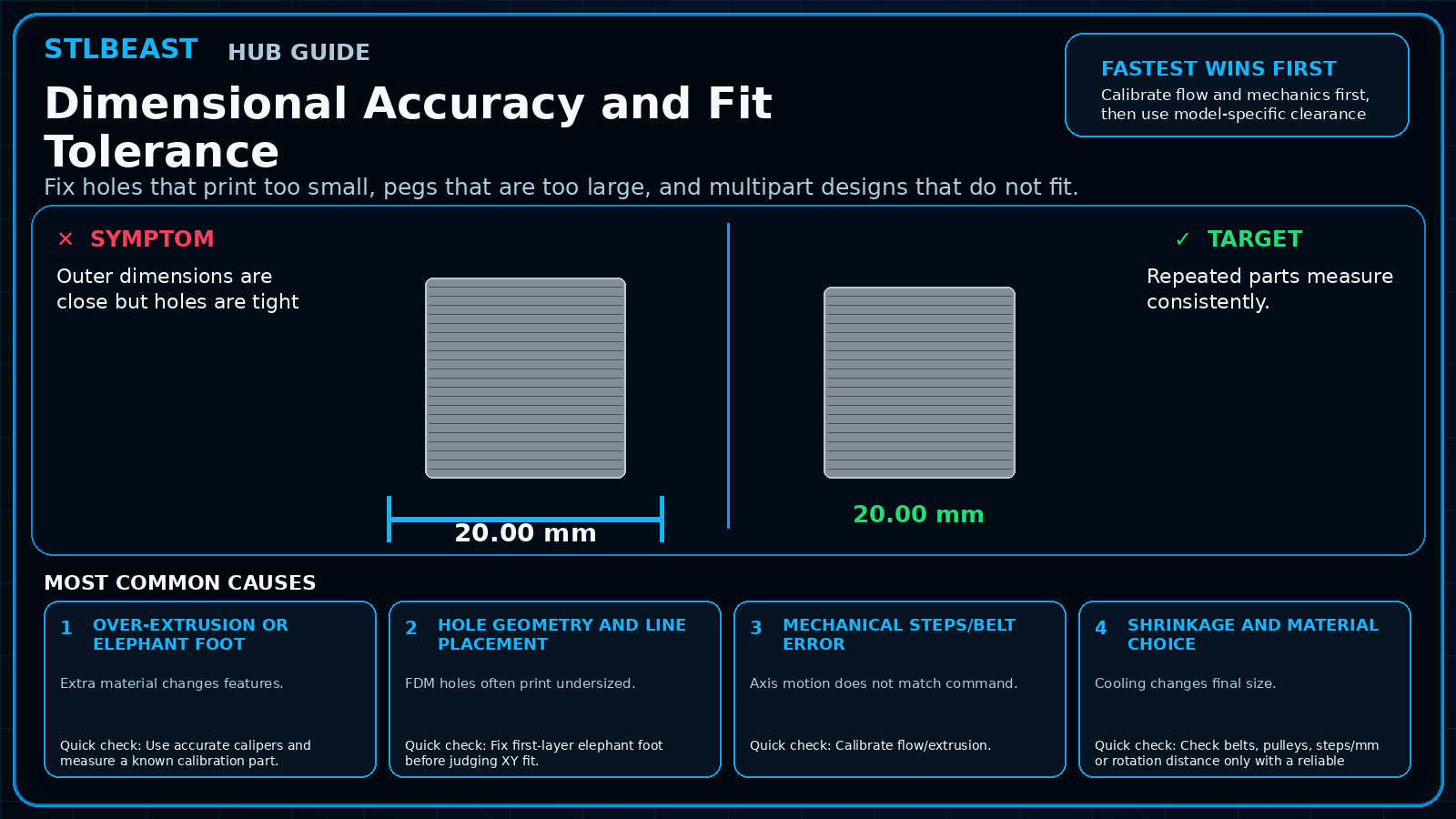
Fix holes that print too small, pegs that are too large, and multipart designs that do not fit.
Start hereCalibrate flow and mechanics first, then use model-specific clearance or hole compensation. Do not globally scale an axis until measurement proves a true axis error.
First safe actionRun the first safe check and change one variable at a time.
Proof targetA small representative test no longer shows the original symptom.
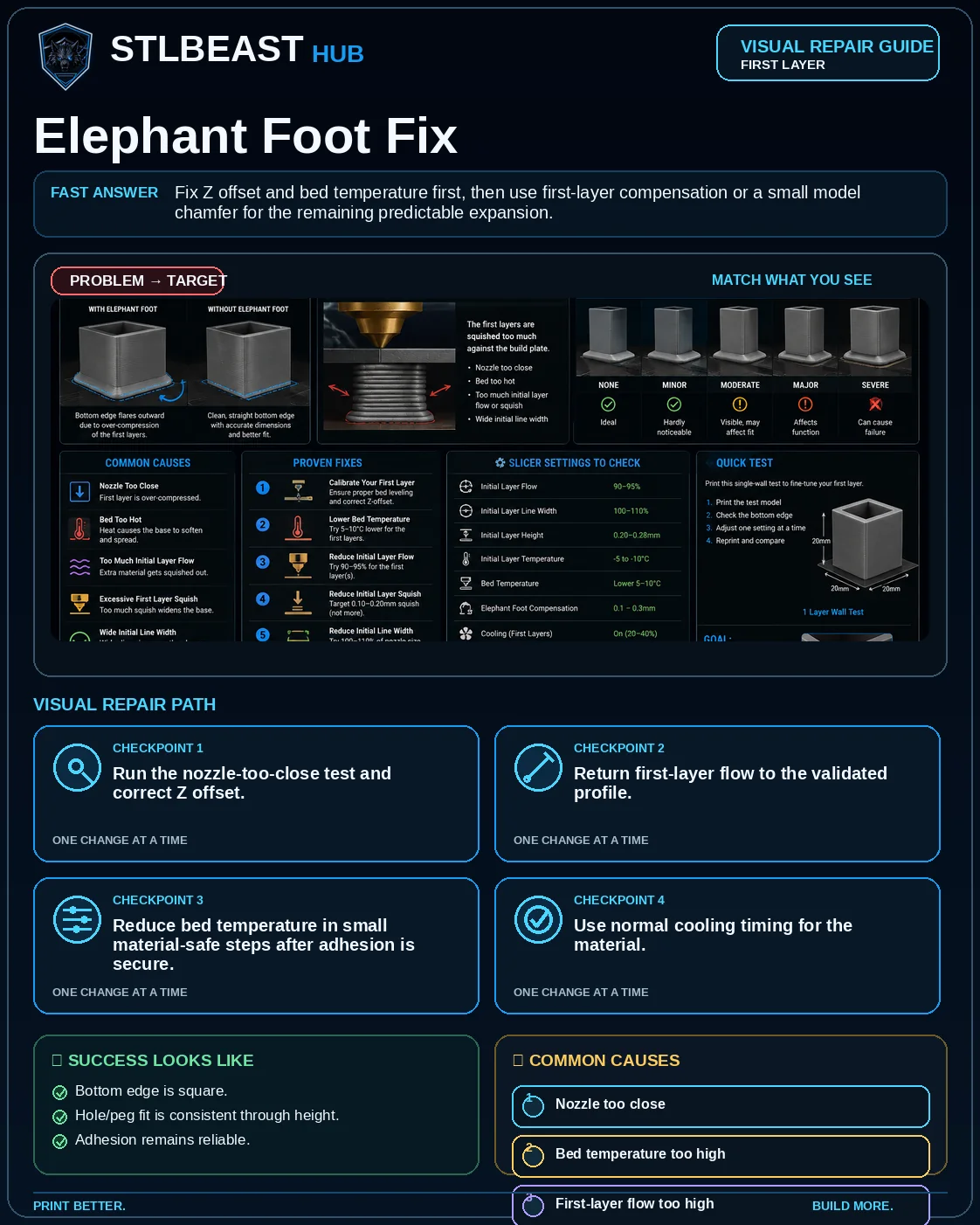
Match the failed area to the visual before changing a setting.
Repair progress0 of 7 complete
Step 1 of 7
Use accurate calipers and measure a known calibration part.
Keep the problem and target visual open while you make this change.
Why this matters
Extra material changes features.
Setting or checkXY compensation
Apply cautiously; it affects many features.
Expected result
Repeated parts measure consistently.
Step 2 of 7
Fix first-layer elephant foot before judging XY fit.
Keep the problem and target visual open while you make this change.
Why this matters
FDM holes often print undersized.
Setting or checkHole compensation
Prefer when only internal holes are consistently small.
Expected result
Fit works in the intended orientation.
Step 3 of 7
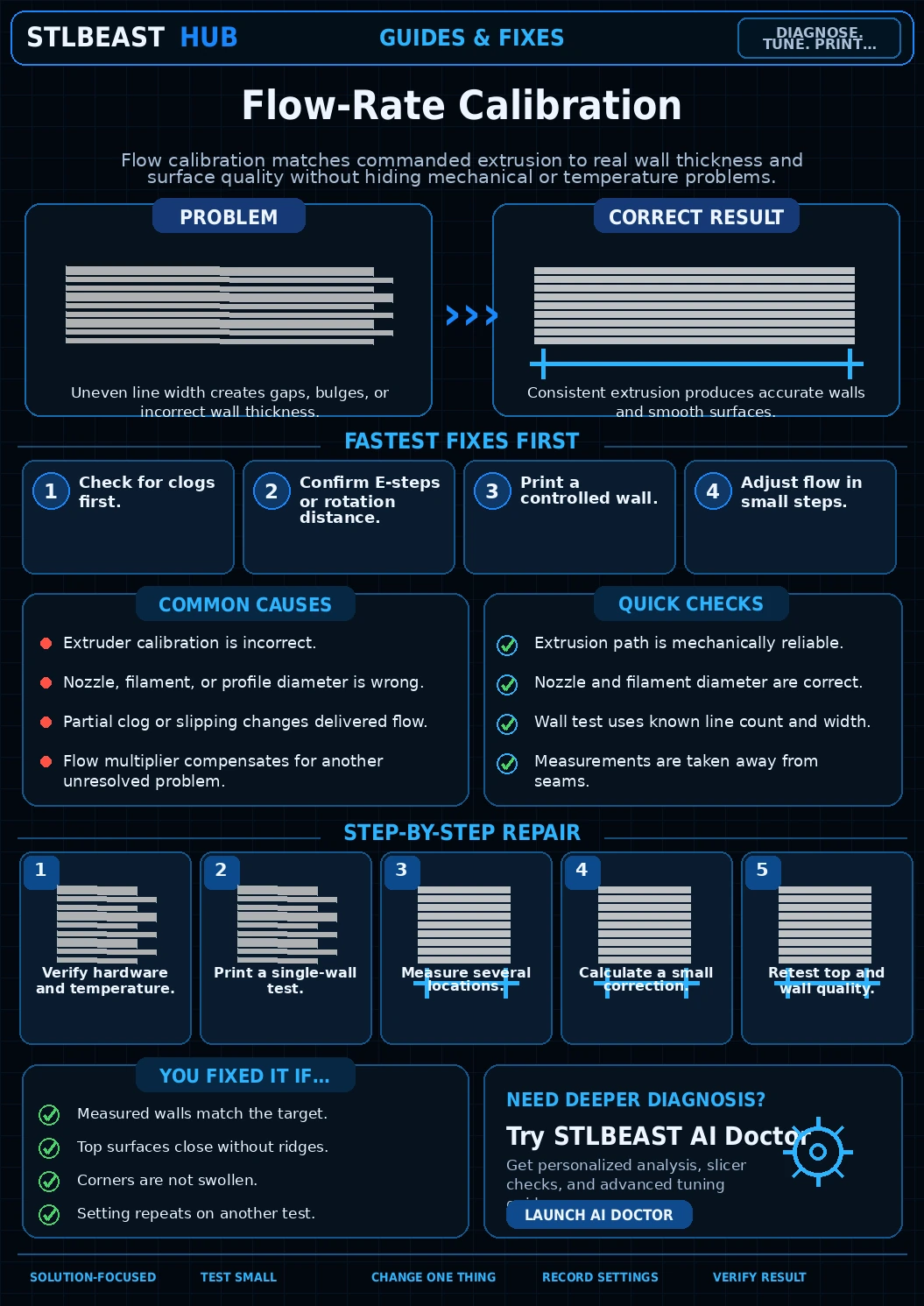
Calibrate flow/extrusion.
Keep the problem and target visual open while you make this change.
Why this matters
Axis motion does not match command.
Setting or checkFirst-layer compensation
Use for elephant foot, not global size.
Expected result
Bottom and upper dimensions match.
Step 4 of 7
Check belts, pulleys, steps/mm or rotation distance only with a reliable measurement method.
Keep the problem and target visual open while you make this change.
Why this matters
Cooling changes final size.
Setting or checkWall order
Can influence dimensional accuracy.
Expected result
Compensation is documented per printer/material.
Step 5 of 7
Test holes/pegs in the same orientation as the real part.
Keep the problem and target visual open while you make this change.
Why this matters
CAD assumes perfect manufacturing.
Setting or checkXY compensation
Apply cautiously; it affects many features.
Expected result
Repeated parts measure consistently.
Step 6 of 7
Use slicer hole/XY compensation only after mechanics and flow are correct.
Keep the problem and target visual open while you make this change.
Why this matters
Extra material changes features.
Setting or checkHole compensation
Prefer when only internal holes are consistently small.
Expected result
Fit works in the intended orientation.
Step 7 of 7
Update CAD clearance based on repeated process capability.
Keep the problem and target visual open while you make this change.
Why this matters
FDM holes often print undersized.
Setting or checkFirst-layer compensation
Use for elephant foot, not global size.
Expected result
Bottom and upper dimensions match.
Controlled test log
Change one variable, then record what happened
This keeps temperature, retraction, speed, mechanical, and material tests from blending together. The history stays private in this browser.

 First LayerElephant Foot Fix
 CalibrationFlow Rate and Extrusion Multiplier Calibration
 CalibrationPressure Advance / Linear Advance Tuning