STLBEAST workshop mode
Part Cooling Fan Not Spinning or Weak
Check slicer fan commands, fan ducts, debris, connector, voltage, and fan direction before increasing cooling percentages.
Start hereCheck slicer fan commands, fan ducts, debris, connector, voltage, and fan direction before increasing cooling percentages.
First safe actionRun the first safe check and change one variable at a time.
Proof targetA small representative test no longer shows the original symptom.
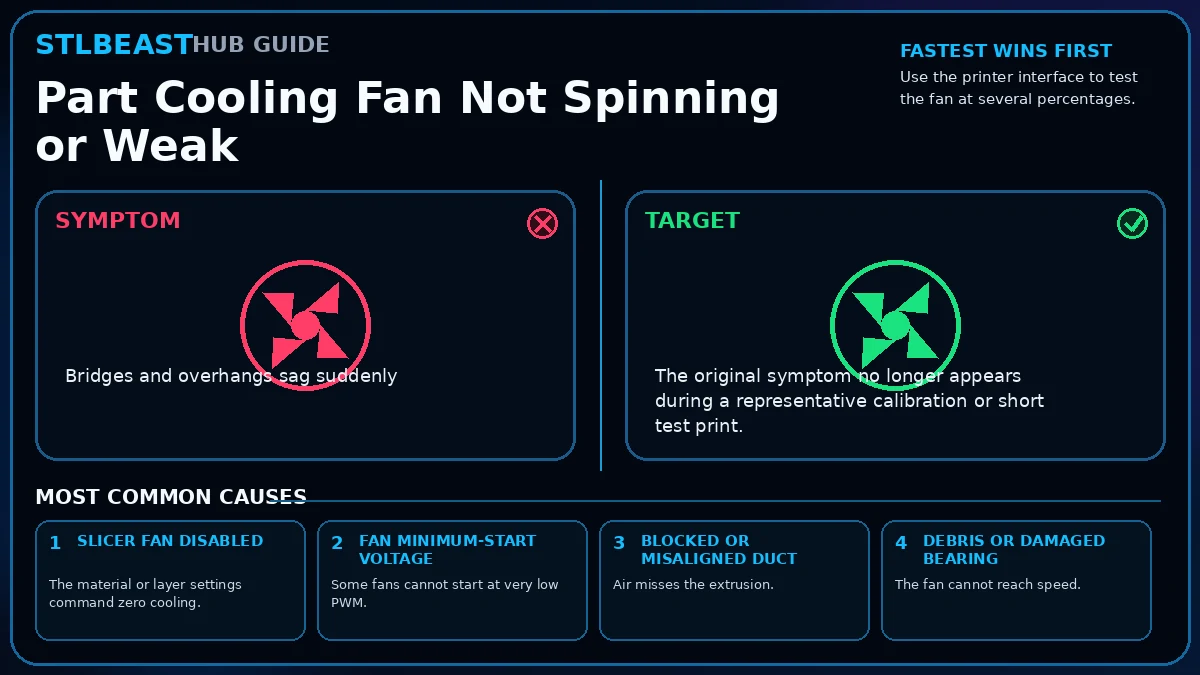 Match the failed area to the visual before changing a setting.
Repair progress0 of 8 complete
Keep the problem and target visual open while you make this change.
Why this mattersThe material or layer settings command zero cooling.
Setting or checkFirst-layer fanOften reduced or off for adhesion.
Expected resultThe original symptom no longer appears during a representative calibration or short test print.
Keep the problem and target visual open while you make this change.
Why this mattersSome fans cannot start at very low PWM.
Setting or checkMinimum fan speedSet high enough for reliable startup, then tune cooling.
Expected resultMeasurements, temperatures, motion, feed, or exposure remain stable through the complete test.
Keep the problem and target visual open while you make this change.
Why this mattersAir misses the extrusion.
Setting or checkBridge fanMay use a separate override in the slicer.
Expected resultNo new warning, collision, leak, electrical smell, unusual heat, or material damage appears.
Keep the problem and target visual open while you make this change.
Why this mattersThe fan cannot reach speed.
Setting or checkFirst-layer fanOften reduced or off for adhesion.
Expected resultThe successful change is recorded with printer, material, slicer, nozzle or resin, and date.
Keep the problem and target visual open while you make this change.
Why this mattersVoltage, polarity, or connector is incompatible.
Setting or checkMinimum fan speedSet high enough for reliable startup, then tune cooling.
Expected resultThe original symptom no longer appears during a representative calibration or short test print.
Keep the problem and target visual open while you make this change.
Why this mattersThe material or layer settings command zero cooling.
Setting or checkBridge fanMay use a separate override in the slicer.
Expected resultMeasurements, temperatures, motion, feed, or exposure remain stable through the complete test.
Keep the problem and target visual open while you make this change.
Why this mattersSome fans cannot start at very low PWM.
Setting or checkFirst-layer fanOften reduced or off for adhesion.
Expected resultNo new warning, collision, leak, electrical smell, unusual heat, or material damage appears.
Keep the problem and target visual open while you make this change.
Why this mattersAir misses the extrusion.
Setting or checkMinimum fan speedSet high enough for reliable startup, then tune cooling.
Expected resultThe successful change is recorded with printer, material, slicer, nozzle or resin, and date.
Controlled test logChange one variable, then record what happened
This keeps temperature, retraction, speed, mechanical, and material tests from blending together. The history stays private in this browser.
Open proof report →No controlled tests logged yet. Record the first change before adjusting a second variable.
Do not repeat the full print yet
Prove the repair with a small test
Test modelSmall representative test print
SetupUse the same printer, material, slicer and key settings as the failed model.
Pass conditionThe original symptom is absent and the target feature is repeatable.
If it still failsThe symptom remains in the same location or stage.
Complete the repair steps, run the proof test, and record the result.
Only if the proof test still failsNext strongest repair paths
Do not stack these changes. Open one related guide based on the evidence that remains.