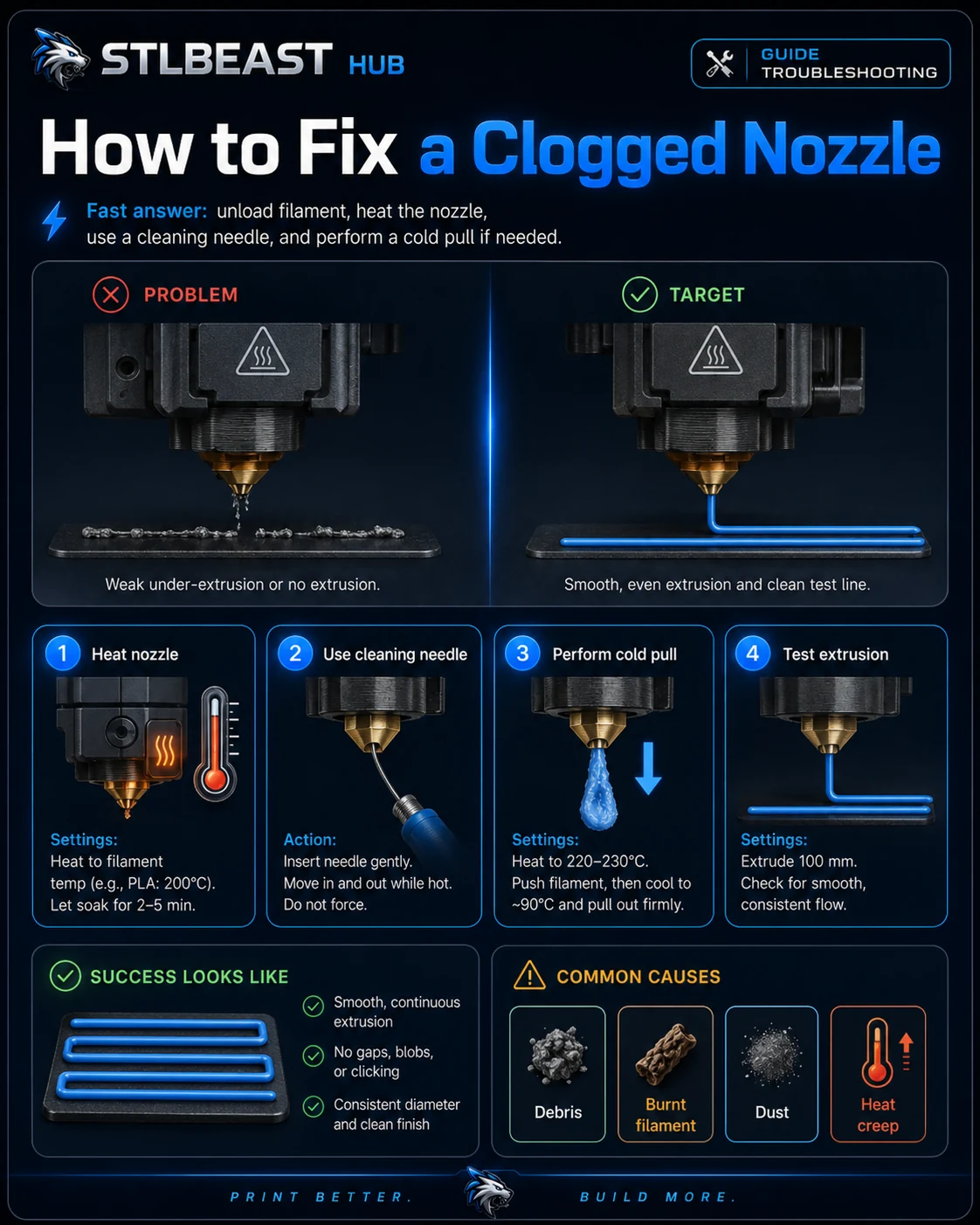
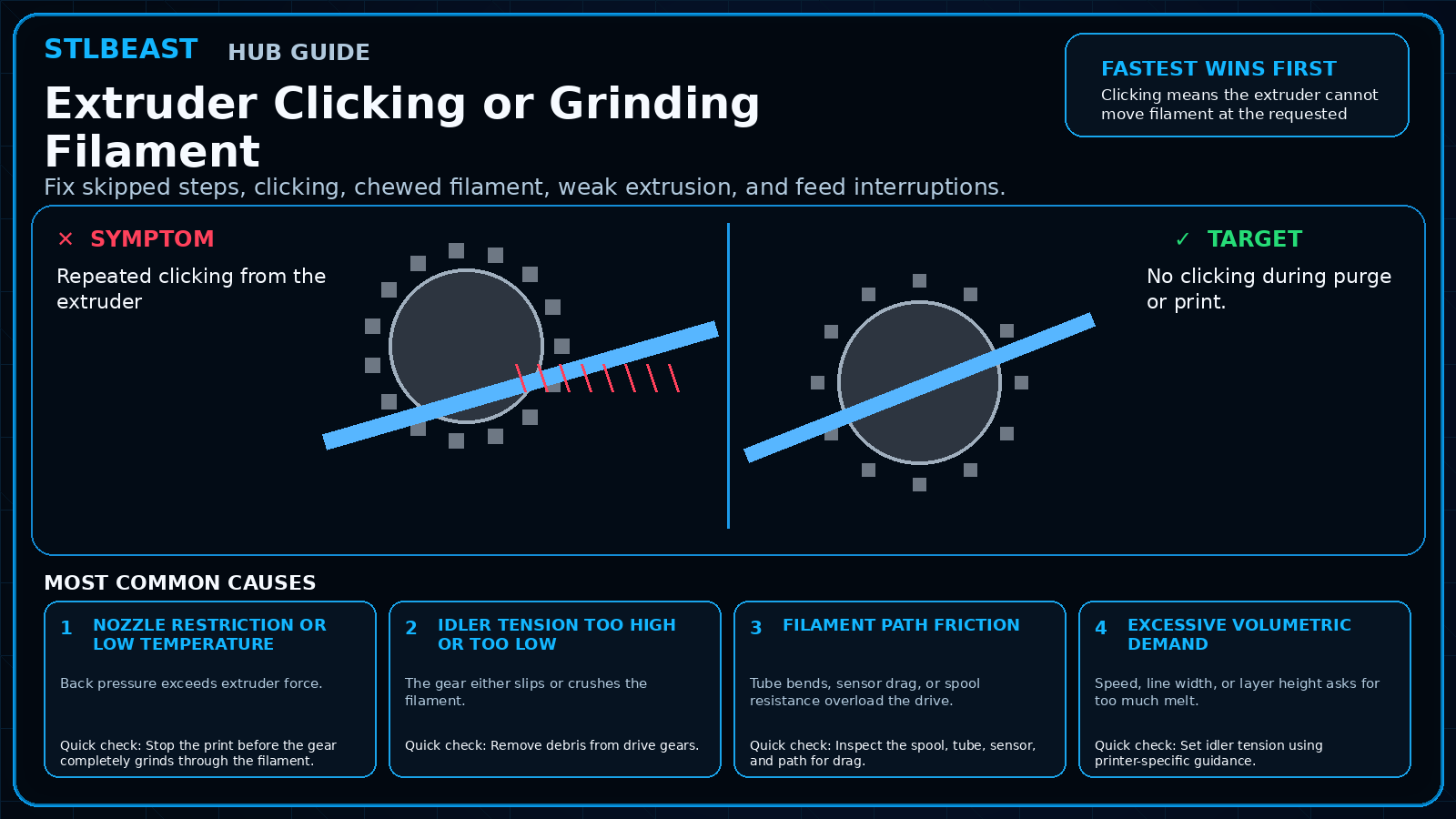
Diagnose inconsistent extrusion, curled purge strands, missing layers, and a nozzle that stops flowing.
Start hereA partial clog often allows some extrusion but causes gaps and weak layers. Verify the filament path, purge behavior, and hotend assembly before using aggressive cleaning methods.
First safe actionRun the first safe check and change one variable at a time.
Proof targetA small representative test no longer shows the original symptom.
Match the failed area to the visual before changing a setting.
Repair progress0 of 6 complete
Step 1 of 6
Heat the nozzle to the correct material temperature and attempt a slow manual purge.
Keep the problem and target visual open while you make this change.
Why this matters
Contamination narrows the opening.
Setting or checkPurge speed
Use slow controlled extrusion; fast manual extrusion can exceed melt capacity.
Expected result
Purge strand exits straight and consistent.
Step 2 of 6
Check spool, tube, sensor, and gears before blaming the nozzle.
Keep the problem and target visual open while you make this change.
Why this matters
A swollen plug blocks feeding.
Setting or checkCleaning temperature
Use material/hotend guidance, not an arbitrary high temperature.
Expected result
Extruder feeds without clicking.
Step 3 of 6
Use the printer/hotend maker’s approved cold-pull or cleaning method.
Keep the problem and target visual open while you make this change.
Why this matters
A hotend gap can collect plastic and leak.
Setting or checkNozzle size
Confirm the slicer and physical nozzle match.
Expected result
A thin-wall test has no gaps.
Step 4 of 6
Inspect the removed filament end for a swollen plug or debris.
Keep the problem and target visual open while you make this change.
Why this matters
Higher-temperature material remains in the nozzle.
Setting or checkPurge speed
Use slow controlled extrusion; fast manual extrusion can exceed melt capacity.
Expected result
Long print completes without recurring starvation.
Step 5 of 6
Replace the nozzle if cleaning does not restore consistent flow.
Keep the problem and target visual open while you make this change.
Why this matters
Contamination narrows the opening.
Setting or checkCleaning temperature
Use material/hotend guidance, not an arbitrary high temperature.
Expected result
Purge strand exits straight and consistent.
Step 6 of 6
Verify hotend assembly and hot-tightening procedure according to its manufacturer.
Keep the problem and target visual open while you make this change.
Why this matters
A swollen plug blocks feeding.
Setting or checkNozzle size
Confirm the slicer and physical nozzle match.
Expected result
Extruder feeds without clicking.
Controlled test log
Change one variable, then record what happened
This keeps temperature, retraction, speed, mechanical, and material tests from blending together. The history stays private in this browser.