HUB.STLBEAST3D printing knowledge hubFix · learn · print
Hub 8.0 answer engine

Ask what is wrong. Get the strongest repair path.

Use normal language such as “hairy PETG print,” “clicking extruder and thin lines,” or “resin part stuck to the film.” The engine translates common descriptions into technical causes and explains why each answer matched.

Browse visually
Ranked answers

94 possible matches

Results are ranked by symptom, title, cause and equipment context.

Guided matcher
#4 answer67% match

How to Change a 3D Printer Nozzle Safely

A detailed STLBEAST repair guide to replace a nozzle without leaks, thread damage, or wrong Z offset. Learn how to recognize the symptom, rank the likely causes, apply safe fixes in order, verify the result, and prevent the failure from returning.

Why this matched
  • Keyword match
  • Likely-cause match
ExtrusionModerate13 min
#8 answer64% match

Auto Bed Leveling Probe Failure

Inspect probe mounting, deployment, wiring, nozzle cleanliness, bed surface, offsets, and firmware configuration before repeating a homing or mesh cycle.

Why this matched
  • Symptom match
  • Likely-cause match
Bed Leveling & ProbesIntermediate15 min
#11 answer64% match

MMU Load or Unload Failure

Align the selector and filament tips, reduce path friction, calibrate sensor positions, clean drive gears, and verify reliable single-filament loading before mu.

Why this matched
  • Symptom match
Multi-MaterialIntermediate15 min
#15 answer63% match

Broken Filament Inside the Extruder

A detailed STLBEAST repair guide to remove fragments and prevent brittle feed failures. Learn how to recognize the symptom, rank the likely causes, apply safe fixes in order, verify the result, and prevent the failure from returning.

Why this matched
  • Keyword match
  • Direct-answer match
ExtrusionModerate13 min
#16 answer63% match

Cold Pull Nozzle Cleaning Guide

A detailed STLBEAST repair guide to remove soft contamination using a controlled pull. Learn how to recognize the symptom, rank the likely causes, apply safe fixes in order, verify the result, and prevent the failure from returning.

Why this matched
  • Keyword match
ExtrusionModerate13 min
#17 answer63% match

Color Change and Purge Problems

A detailed STLBEAST repair guide to remove weak transitions, color contamination, and blobs after filament swaps. Learn how to recognize the symptom, rank the likely causes, apply safe fixes in order, verify the result, and prevent the failure from returning.

Why this matched
  • Keyword match
Surface QualityModerate12 min
#18 answer63% match

Cura Support Settings Guide

A detailed STLBEAST repair guide to find the support controls that matter most in Cura. Learn how to recognize the symptom, rank the likely causes, apply safe fixes in order, verify the result, and prevent the failure from returning.

Why this matched
  • Keyword match
  • Symptom match
Slicer & STL RepairModerate13 min
#19 answer63% match

Filament Stuck in a Bowden Tube

A detailed STLBEAST repair guide to remove the obstruction without damaging fittings or the hotend. Learn how to recognize the symptom, rank the likely causes, apply safe fixes in order, verify the result, and prevent the failure from returning.

Why this matched
  • Keyword match
  • Likely-cause match
ExtrusionModerate13 min
#20 answer63% match

First-Layer Ridges and Excess Overlap

A detailed STLBEAST repair guide to remove raised ridges while preserving adhesion. Learn how to recognize the symptom, rank the likely causes, apply safe fixes in order, verify the result, and prevent the failure from returning.

Why this matched
  • Keyword match
First LayerEasy11 min
#21 answer63% match

How to Dry Filament Safely

A detailed STLBEAST repair guide to remove absorbed moisture without deforming the spool or polymer. Learn how to recognize the symptom, rank the likely causes, apply safe fixes in order, verify the result, and prevent the failure from returning.

Why this matched
  • Keyword match
  • Likely-cause match
MaterialsModerate13 min
#22 answer63% match

Noisy Stepper Motor or Harsh Motion

A detailed STLBEAST repair guide to separate normal motor tones from binding, driver, or current problems. Learn how to recognize the symptom, rank the likely causes, apply safe fixes in order, verify the result, and prevent the failure from returning.

Why this matched
  • Keyword match
  • Symptom match
  • Direct-answer match
Motion & MechanicsModerate12 min
#23 answer63% match

Organic Supports Guide

A detailed STLBEAST repair guide to use branching supports effectively on complex figures and organic forms. Learn how to recognize the symptom, rank the likely causes, apply safe fixes in order, verify the result, and prevent the failure from returning.

Why this matched
  • Keyword match
  • Symptom match
Supports & GeometryModerate14 min
#24 answer63% match

Print Bed Wobble and Loose Carriage

A detailed STLBEAST repair guide to remove play that destabilizes layers and first-layer height. Learn how to recognize the symptom, rank the likely causes, apply safe fixes in order, verify the result, and prevent the failure from returning.

Why this matched
  • Keyword match
  • Symptom match
Motion & MechanicsModerate12 min
#25 answer63% match

Unwanted Fuzzy or Hairy Surface

A detailed STLBEAST repair guide to remove texture caused by slicer settings or unstable extrusion. Learn how to recognize the symptom, rank the likely causes, apply safe fixes in order, verify the result, and prevent the failure from returning.

Why this matched
  • Keyword match
Surface QualityModerate12 min
#26 answer63% match

V-Wheel Adjustment: Too Tight or Too Loose

A detailed STLBEAST repair guide to remove play without creating flat spots or binding. Learn how to recognize the symptom, rank the likely causes, apply safe fixes in order, verify the result, and prevent the failure from returning.

Why this matched
  • Keyword match
  • Symptom match
Motion & MechanicsModerate12 min
#27 answer63% match

Wavy or Rippling First-Layer Lines

A detailed STLBEAST repair guide to stabilize extrusion and nozzle height across the plate. Learn how to recognize the symptom, rank the likely causes, apply safe fixes in order, verify the result, and prevent the failure from returning.

Why this matched
  • Keyword match
  • Symptom match
  • Likely-cause match
First LayerEasy11 min
#28 answer63% match

Z-Axis Binding and Sticking

A detailed STLBEAST repair guide to restore smooth vertical travel and prevent banding or missed layers. Learn how to recognize the symptom, rank the likely causes, apply safe fixes in order, verify the result, and prevent the failure from returning.

Why this matched
  • Keyword match
  • Symptom match
  • Direct-answer match
Motion & MechanicsModerate12 min
#30 answer61% match

Filament Grinding at the Extruder

A detailed STLBEAST repair guide to restore grip without crushing the filament. Learn how to recognize the symptom, rank the likely causes, apply safe fixes in order, verify the result, and prevent the failure from returning.

Why this matched
  • Symptom match
ExtrusionModerate13 min
#31 answer61% match

Nozzle Scraping or Hitting the Print

A detailed STLBEAST repair guide to separate harmless travel sounds from real collision risk. Learn how to recognize the symptom, rank the likely causes, apply safe fixes in order, verify the result, and prevent the failure from returning.

Why this matched
  • Symptom match
ExtrusionModerate13 min
#32 answer61% match

Resin Drain Holes and Suction Cups

A detailed STLBEAST repair guide to prevent trapped pressure and uncured resin in hollow models. Learn how to recognize the symptom, rank the likely causes, apply safe fixes in order, verify the result, and prevent the failure from returning.

Why this matched
  • Symptom match
Resin PrintingModerate14 min
#33 answer61% match

Scratches on Top Surfaces

A detailed STLBEAST repair guide to prevent the nozzle from dragging across finished top layers. Learn how to recognize the symptom, rank the likely causes, apply safe fixes in order, verify the result, and prevent the failure from returning.

Why this matched
  • Symptom match
Surface QualityModerate12 min
#34 answer61% match

Tree Supports vs Normal Supports

A detailed STLBEAST repair guide to choose support geometry based on contact, stability, and cleanup. Learn how to recognize the symptom, rank the likely causes, apply safe fixes in order, verify the result, and prevent the failure from returning.

Why this matched
  • Symptom match
Supports & GeometryModerate14 min
#41 answer56% match

Delta Printer Calibration and Geometry

A detailed STLBEAST repair guide to calibrate tower geometry, endstops, and bed plane systematically. Learn how to recognize the symptom, rank the likely causes, apply safe fixes in order, verify the result, and prevent the failure from returning.

Why this matched
  • Likely-cause match
Motion & MechanicsModerate12 min
#43 answer55% match

Sudden Under-Extrusion Mid-Print

A detailed STLBEAST repair guide to identify changes that occur only after printing for a while. Learn how to recognize the symptom, rank the likely causes, apply safe fixes in order, verify the result, and prevent the failure from returning.

Why this matched
  • Direct-answer match
ExtrusionModerate13 min
#46 answer54% match

Gluing Multi-Part 3D Prints

Dry-fit and align parts first, prepare clean mating surfaces, choose an adhesive compatible with the material and joint load, clamp without distortion, and allo.

Why this matched
  • Likely-cause match
Post-ProcessingEasy13 min
Member intelligence

Turn one search into a complete printer-specific repair case.

Members can connect ranked answers to saved printers, previous failed repairs, full Printer Settings, AI Doctor case history and community-confirmed configurations.

See member access
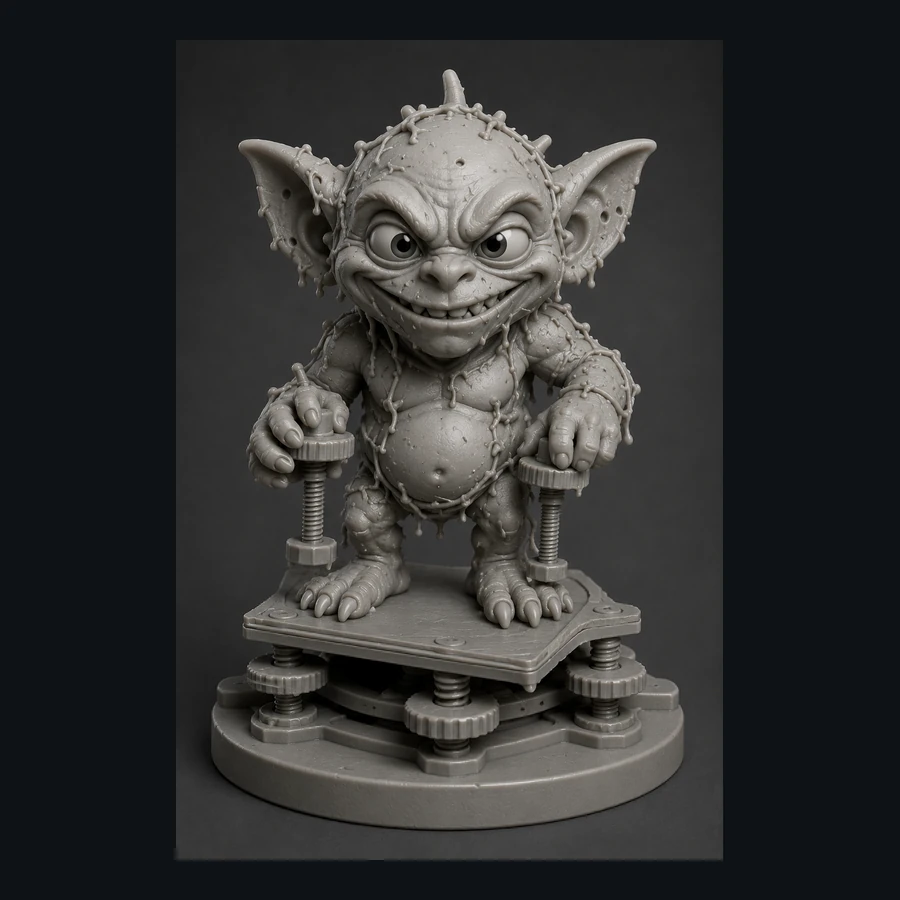
Bed Leveling Gremlin
Matched next step

Fix the first layer, then print something worth keeping.

Use the free calibration path, save the settings that worked, and explore the Characters & Creatures collection that includes Bed Leveling Gremlin.

STLBEAST ecosystemSolve the print on Hub. Discover the next project in the Store.